Signature 12MTK : very good sound, value for money.. using it in homestudio with Ardour on Linux
I am using this for small home studio, recording tracks and record more tracks while playing recorded channels.
4 stars because..... it has no on/off switch.... what were they thinking....
I have not noticed noise, lag, pops, clicks or whatever. sound is good, dynamic reach is good. The equalizers are basic but good; I am not a fan of too many dials.....
You can have the recorded track in your DAW return to the console: press the USB RTN button (each track has it)
This way you can have your DAW do effects and then return the signal; the DAW as a insert as it were....
my DAW hardware is a (older) laptop on Intel Core i7 4th generation, 8 Gbyte RAM, and 2 SSD: so any modern day laptop should be able to cope with the workload easily.
Linux config:
Set memlock in /etc/security/limits.conf to unlimited or *much* (in kbytes!!)
==> note !!!: the hard AND the soft limit... or it will not work. can be done per user. (strongly adviced!! )
My DAW can then handle 5 msec delay or less easily once that memlock is set properly ( I have it on 2.5 msec now ) recording upto 20 tracks so far.
I have all instruments connected to their mono / stereo track ( 10 channels ) so I can just plug power in ( bugger: console has no on/off switch... ) and I am ready to go.
levels have been set up right. do not touch them again..
Once I am satisfied with a track, I move it to a separate track in Ardour : this way, I can leave the plugged-in instruments where they are, I have a clean empty track, and do not have to configure levels / equalizer/ track mapping again etc etc.
connected:
1 mic / 2 bass guitars / 1 el guitar / 1 roland guitar synth (stereo) / 1 drumset (stereo) / 1 keyboard (stereo)
that is 10 channels.
(*) The Console has 2 stereo inputs, not counting the line stereo input at 11-12 ; but of course you can combine 2 mono into a stereo track on any DAW.
Mixer has 2 channels with limiters and 2 with high impedance switch ( some types of directly plugged in guitars etc )
(*) One (slight) minus /issue to consider :
if you want to overdub, you loose 2 channels to get the sound out of your DAW to the speakers... while you are recording your next track ....
( using 11+12 is best; my DAW is Ardour on linux , but same applies to Windows / Mac )
So, for home studio use if you want to do overdubbing, this is a 10 track machine.
if thats not enough for you..... there is a 22 track ( 24, but again you loose 2 tracks )
I do not use it for mixdown to stereo; I use Ardour for that. because it is capable of many more tracks.
But, if you want to use the mixer, it does mixdown to stereo automagically on INPUT track 13+14 ... of course, your tracks must be on track 1 to 12 to make that work....
I have not used the track groups 1 / 2 / fx until now.
I have not used the FX either so far...
I will update as I progress ... :-)
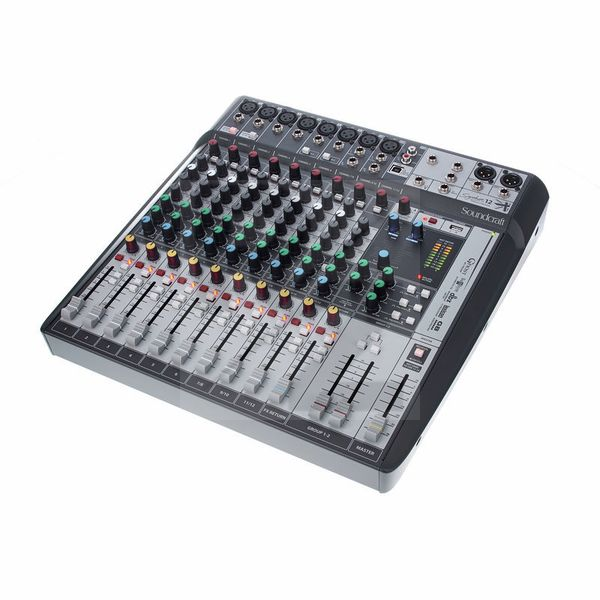
Technical Data
- Manufactured by Soundcraft
- Released in 2016
- Average price : $572
- Weight : 5.86kg
You may also like

2023 100%

2023 100%


2023

2023

2023

2023

2023
