Launchkey Mini MK3 : Happy to Recommend!
I'm using this with REAPER and it works just great. If this is your first MIDI device, there is a learning curve that you will have to tackle. You will have to learn how to setup the controller, how to make it work in your DAW and how to use it with your virtual instruments. Yes, it seems like a lot, but it's not hard. Give yourself a day or two to settle in. As the saying goes "RTFM!" ("read the fricken manual!") and Google/YouTube are great resources. Use the Novation "Components" app to help set the custom colors and upgrade the firmware to V1.1.
Like: Works great. Touch sensitivity is excellent.
Like: Small! Overall form factor is great for a small desk. I chose this over other models because of this. Flip side: piano keys are small.
Like: It's not too light. It's small but feels substantial and won't move unnecessarily in use.
Like: New firmware (v1.1) allows LED brightness adjustment and adds a 'strum' mode to the ARP feature.
Like: Once registered on the Novation website you have some nice virtual instruments to work with.
Dislike: My one does not sit perfectly flat on the desk - I would recommend using additional rubber or felt pads under the top right and left corner, or removing the two centre rubber pads.
Dislike: It's designed for Ableton so "Session" mode is not available for other DAWS.
Dislike: Only one custom pad mode can be loaded at a time. The Components app allows you to edit and save you own presets but each must be uploaded to the unit individually through the app.
Dislike: Pad colors and assignments in Drum mode can not be edited.
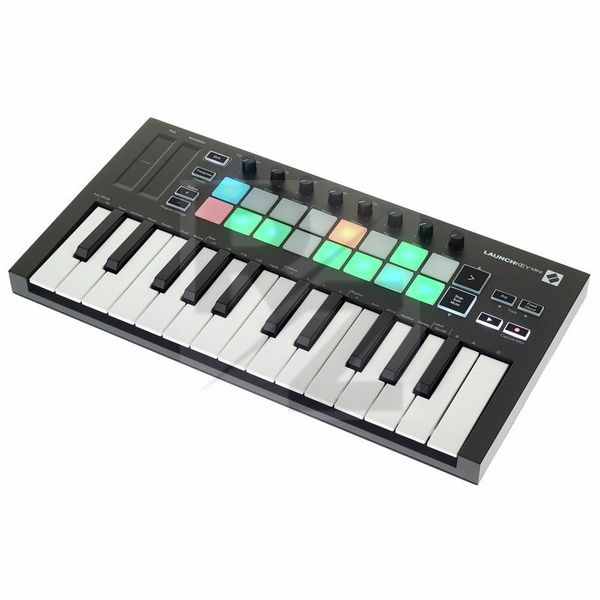
Technical Data
- Manufactured by Novation
- Released in 2019
- Average price : $104
- Dimensions (Wmm x Hmm x D): 330mm x 41mm x 172mm
- Weight : 689g
You may also like

2023 100%

2023 96%


2022 100%

2022 100%

2022 100%

2022 100%

2022 93%

2022 92%

2022 80%