GO XLR : Fantastic Interface
I picked up the Go XLR for my broadcasting as I needed something that has more refined controls and functions than my old Scarlett Solo. The Go XLR does everything I need it to, plus more!
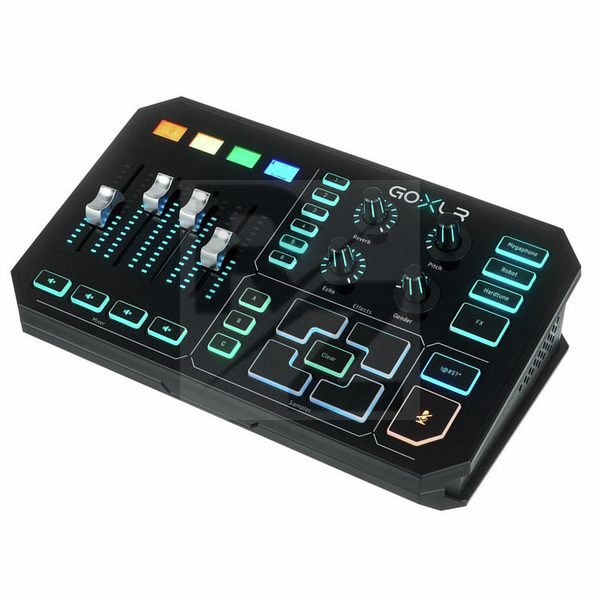
I really like that the device has clear indicators of what volume each channel is currently at with the mechanical sliders and that I can temporarily mute any of them with a quick press of a button.
The various controls for effects are an added bonus, great for when I want to have a bit of fun with voice samples.
My only real complaint is that I would have loved to have had an on/off switch on the rear of the device so that the lights weren't on 24/7 even when my machine is turned off. The lights can be dimmed and most can be turned off in the software application, however you would have to set profiles to toggle between on and off.
I probably would have liked for it to be a little bit more compact too, as I cannot fit it on my small side unit and have to have the device on my main computer desk behind my keyboard.
Overall, it's a fantastic device.
It provides excellent quality sound with my Rode NT1-A.
It could be a little smaller, but it's a manageable size.
The mechanical sliders and variety of options are brilliant.
The software has lots of extra bells and whistles for enhanced refinement of audio.
I'd definitely recommend this to anyone looking for a solid audio interface for broadcasting/streaming.
Technical Data
- Manufactured by TC-Helicon
- Released in 2019
- Average price : $487
You may also like

2023 100%

2023 100%


2023

2023

2023

2023

2023
