V3 Sound Control
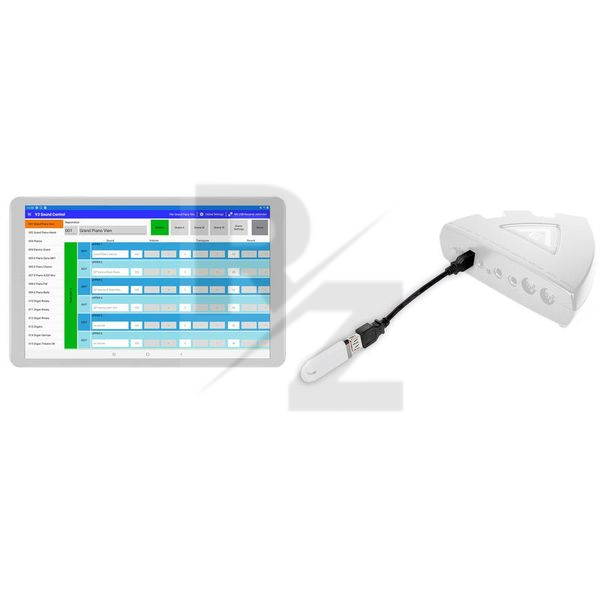
Set for wireless control of V3 sound expanders via tablet
Latest User Reviews
Probably good for someone - not for me
Bought this in an attempt to take advantage of the multi-layered voicings available on the V3 sound expander along with TriplePlay Wireless/Connect.
Unfortunately, I was unable to get the multi-layered voicings to work with the TriplePlay. Could not find online any clues as to what could be the issue and whether there was a workaround.
So, another expensive useless add-on to add to the pile.
Technical Data
- Manufactured by V3 Sound
- Released in 2020
- Average price : $96
- Set consisting of USB stick with integrated Bluetooth receiver and USB cable extension with 15 cm length
- The V3 Control app is required for control (free download available for Android and iOS)
- The app extends your MIDI instrument with the functions of a master keyboard
- Up to six sounds can be assigned to one MIDI channel (layers)
- Your MIDI keyboard is played directly via the MIDI-IN of the Soundexpander; there is no delay (latency) between the striking of a key and the sounding of a tone.
- The app interface is divided into different groups - UPPER, LOWER, BASS, SOLO, LEAD, SPECIAL and DRUMS - to each of which you can assign a different number of sounds
- Each group is in turn permanently linked to a MIDI channel
- The names of the groups serve only for identification, which sounds are used in the selected area is individually adjustable
- A flexible handling of sounds is made possible by the Scenes, of which up to four can be used per registration
- On/off commands can be stored in a scene to make sounds active (audible) or inactive (mute) - this makes changing sounds during a song much faster and more comfortable.
- The app allows you to select sounds and adjust the following sound parameters in a simple, menu-guided way: Volume, Panorama/ Reverb, Chorus/ Attack, Decay, Release/ Transpose, Fine Tune/ Cutoff, Mono / Audio outputs: MAIN or AUX
- The parameters are available for 16 sounds per registration (registration is the totality of all settings of the sound expander)
- The settings can be saved in the app and transferred back to the Sound expander as needed - wirelessly via Bluetooth
- The app provides 300 memory locations for importing and exporting registrations
- The extended copy function allows copying individual sounds as well as copying individual parameters between different registrations
You may also like

2023 100%

2023 100%

2023 100%

2023 87%


2023


2023