Impulse 25 : Tricky installation for Win+Cubase users
PRO's: Construction and feeling are good as expected by Novation. There is no equivalent products at the same price.
CON's: installation and sw compliance (I have Windows 10 and Cubase 11).
The sw installation is quite messy:
1) the start guide makes you land on a page where you can download the driver and a support software: "Automap";
2) If you follow the built-in instructions you will not succeed in properly setting up the midi in your Cubase: the Impulse will not work in "DAW" mode but only as a generic midi controller;
3) Then I discovered among Novation's support pages that, in this order:
i) you have to setup Cubase differently from the starting guide to make it recognise Automap (despite of Automap being unable to configure Cubase because is supports till Cubase 9.5 only. Cubase 10 if you find the unofficial beta version);
ii) BUT...you can get rid of Automap with the latest firmware update (you can perform it via Sysex)...and it works but...
iii) if you use it without Automap the product works only partially because the 8 rotary encoders (knobs) cannot be used as volume controller but only as pan+send for the first 8 tracks;
iiii) I went back back to i) configuration (with Automap correctly set in Cubase 11) and corrected the installation guide with pen to avoid struggling once again at next computer change.
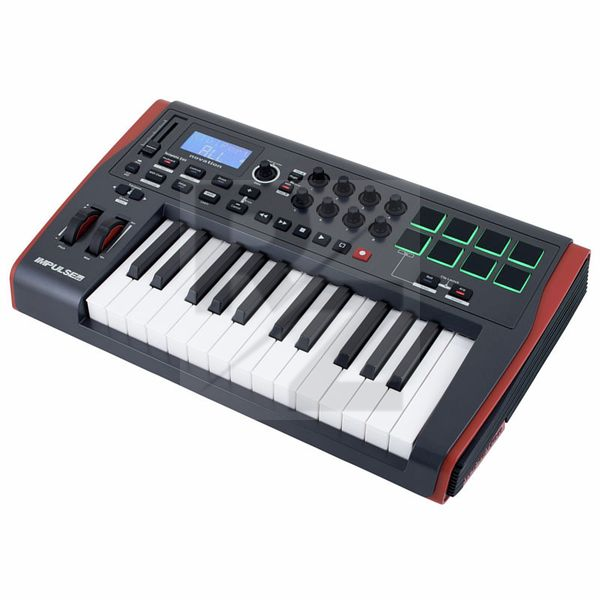
Technical Data
- Manufactured by Novation
- Released in 2011
- Average price : $184
- Weight : 3.5kg
You may also like

2023 100%

2023 96%


2022 100%

2022 100%

2022 100%

2022 100%

2022 93%

2022 92%

2022 80%