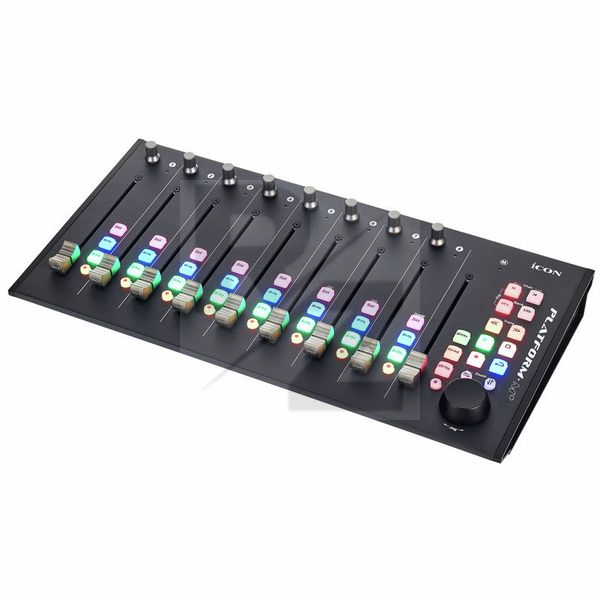
Platform M+ : Good "multi-fader" controller for the price.
This review is base on Pro Tools scenario.
Pros
- Compact Size with ?eight? 10-bit motorised fader.
- Useful transport control.
- Motorised Fader not too noisy.
- Colourful backlight knobs, you won?t misunderstanding which knob is activated.
Cons
- Manual is lacking lots of informations.
- You?d better NOT connect to USB hub might cause MIDI latency.
- Can?t use encoder to control plugin?s parameter with Pro Tools.
- The ninth Master fader do NOT support Pro Tools.
- Flip mode do NOT support Pro Tools.
- Automation Read&Write knobs do NOT support Pro Tools.
- Can?t use User Defined Mode with Pro Tools. ( It?s not HUI protocol )
- No ?0db? labelling with faders.
///
Actually, I do a lots research for Icon Platform M+ before I buy it.
So I know Its functions are NOT fully supported with Pro Tools due to HUI protocol?s limitation.
Luckily, I running it without any issue.?But first, the manual is really unhelpful.
Any important informations you need, just google it.
Such as how to calibrate the faders.
Also you should plug it directly to your computer.
Probably the USB hub will cause MIDI latency, the latency will affect fader moving laggy.
(But now I?m using a thunderbolt dock without any problem.)
Next, The fader?s sensitivity is tricky.
You should press with a little bit pressure when you push it,
or it will pull you finger back.
Not like Avid Artist Mix & S3,?you can push the fader as you want, even a sightly movement.
(I?m calibrated the faders most sensitive & slowing with Icon?s tutorial video at youtube.)
Overall,
although it has limitation with Pro Tools,
?it still a good fader controller for the price.
But if you have enough budget, just go for Avid Artist Mix.
Technical Data
- Manufactured by Icon
- Released in 2017
- Average price : $346
You may also like

2023 100%


2022 100%

2022 100%

2022 100%

2022 96%

2022 90%

2022 80%

2022