Best Elgato Cam Link 4k HDMI Camera Conn. Alternatives
We found 4 alternatives to Elgato Cam Link 4k HDMI Camera Conn. based on experts and consumers reviews.
Blackmagic Design Intensity Pro 4K
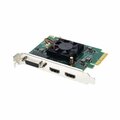
Based on 1 reviews
Had a bunch of old VHS and VHS-C tapes that needed to be saved digitally. I had tried cheap USB grabbers, composite to HDMI+HDMI grabber combo with no luck. With this, everything was digitized successfully with no issues and good quality. And it works with Linux without any issues, a big plus.
Blackmagic Design UltraStudio Recorder 3G

Based on 4 reviews
The has been an excellent purchase for us for recording and producing online. Well made and good quality product that compliments the rest of the system that we have. Operates well with the BM Atem Studio unit which in turn is run off an iMac. The ability the take the signal in through thunderbolt allows greater control of latency issues that have been experienced with other products, allowing media and audio to be brought into the iMac together.
Blackmagic Design DeckLink Quad HDMI Recorder
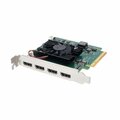
Based on 2 reviews
4k60 ist einmalige Spitze Problem ist nur, dass die Firmware sich nicht updaten lässt, auch mit der richtigen Software Die Software generell scheint etwas buggy zu sein, kann aber auch an der Kombination mit OBS liegen Hatte einmal einen Absturz vom Streaming PC wegen der Karte, nach dem Reboot war die Karte nicht mehr ersichtlich, auch nicht im Device Manager von Windows Treiber raus und neu installieren, Karte wieder da..... Am Papier ein super Produkt, evtl mit einer anderen CPU besser (Ryzen 5 3600, bei mir verbaut) So kann ich mich nicht auf die Karte verlassen daher leider wieder zurück Pro: relatively cheap only card with 4 * 4k60 Contra: unreliable bad software/firmware support from blackmagic
Blackmagic Design UltraStudio Monitor 3G

Based on 3 reviews
When I first got it, I figured it would work great for 4K timelines â that it would simply downscale it upon output without requiring project settings to be anything special. I was a bit concerned at first when I connected it up to a Mac running Resolve, that it was doing a centre crop of all footage. This was due to the fact that my timeline was 4K. Whilst downscaling was not an advertised feature of this, one would expect it to work that way as getting a centre crop of your timeline (or source footage) is not very useful, and I was ready to return it. However, Resolve allows you to configure Output and Monitoring settings separately from Timeline resolution. Whilst I was not able to fix it by changing Monitoring settings, it does downscale the footage and display correctly when you...