Icon Qcon Pro XS 1-star Reviews
Take care with protools
Here are the biggest bug that I have identified with pro tools:
- When you selects one of the these buttons " : Send A, B, C, D, E , fader flip , read , write , cmd, shift, The pro XS extension didn't follow the qcon prox . It always stay in Pan Mode …
- The first led of the peakmeters (-22dB) remain lit on some tracks randomly while there is absolutely no sound in this track.
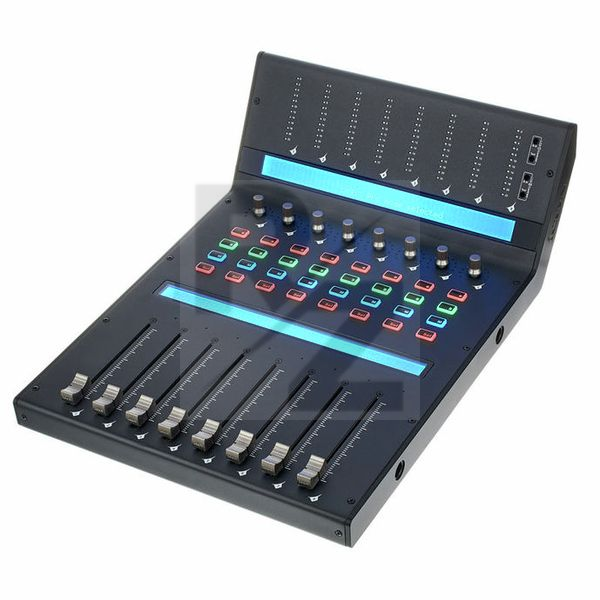
- The screen below is useless because the indications are fixed with channel numbers. But these channel numbers are not the chanel numbers of protools, they are just chanel numbers determined based on the selection of the Icon Pro XS expansion number on power up. Problem in addition: if you install in the following order your machines from left to right (2 extensions Icon pro XS then an Icon pro X and then one more extension Icon pro XS , exactly as on the photo of your site) You can not display channel numbers from 25 to 32 on the last extension. So on the one hand the screen is useless but in addition the few indications on it is wrong.
- The faders , when there are on nominal volume (0 db) on protools , are juste between two bars on the icon pro . It’s really strange.
- There are no access to the send F, G, H, I, J .
- In Fader Flip mode , when you selects Send A,B,C,D,E … , names of the tracks disappears. It's really ridiculus , because as you see nothing, you can't send in the "sends" without knowing the name of the track.
- The master fader and master peak meters doesn’t work with protools. I know it’s because of the HUI protocol but I’m surprise that nobody can do a script to fix it ?
You may also like

2023 100%


2022 100%

2022 100%

2022 100%

2022 96%

2022 90%

2022 80%

2022