Korg nanoKONTROL 2 white 4-stars Reviews
The Knobs fell off easily
I have been using the USB-MIDI Kontroller for a while now. The overall build is good; however, since I move around a lot with it, the knob controls and the clips/handle on the faders keep falling off, and I have lost almost half of them. Korg should look at this so that it is sturdier.
Good, but difficult to keep in one place
If setting this up in your gig rig you'll need to secure it somehow to the platform, as the product is light and quite easy to knock off the table. If the cable gets pulled this will too!
Easy to use and easy to map to Ableton sets, but be sure to keep track of what you're doing, maybe with notes or stickers! Faders are a little small but have a natural feel...
Really simple
It's really simple yet a bit confusing to set at first, but it's really usable and straightforward once you get used to it. It's plastic finish is what ruins it for me, but you can't ask for more at this price.
Good to have- could be better
It's small, light, completely portable. It's plastic but has a nice feeling. Only drawback is the the faders which feel cheap and are not rock steady. Other than that it does work great. I use it in my home studio with reaper (after a few tricks they cooperate great).
It does the job...
I use it to control my DAW. In a jamming fashion though for dubing on my tracks. I wouldn't use it for a precise mix.
Pros: cheap and easy to use
Cons: flimsy and small
It's really good if you need a small controler to have on the go with your laptop. Precision it's not its thing.
OK for price!
I bougt this 2 years ago and i'm pretty happy with this nano. This is small, inexpensive unit for cheap money. Just do instalation step by step (look in korg manual/webpage or youtube) and you're good to go.
First i had problems with mapping in Live 9, but reading different websites make things easier.
If someone have problem with mapping in Live 9 (the volume and pan knobs jumping around), just reset nanoKontrol 2 to factory settings. Turn off the power to your nanoKONTROL by unplugging it from the USB port of your computer and hold down the "Rec," "Stop" and "Scene" buttons with one hand while you plug the USB cable back in to your computer port.
Build quality is - "what you paid is what you get". One of fader buttons jumped off the nano. I used glue to put it back. Not a big problem, really.
This is good comparison between cheapest and cheap DAW controllers on market. I'm not pro musician, just doing things for joy not for money, so i'm very glad to see things like nano series who are accessible to everyone.
Ok I guess, But I expected more..
At this price point and at the time I got it there was nothing else in its category. I got it as a companion for my Akai Lpk25 Mini keys as it is exactly the same size which is also the size of a 13 inch Mac Book Pro. On paper this look perfect, the right size, the right price and with the right functions, or at least the was the idea.
Sadly things turned out to be quite different. It is a bit confusing to set up and you have to weave your way to it's own editor (available from the KORG website) and the control editors of your DAW of choice. I have used mine with Logic 9 and X and with Live 9 and I have to admit that I have never been able to get it to do what I am pretty sure it should be capable of doing. I have also noticed that it keeps interfering with my other usb hardware and the volume and pan knobs jump and fiddle around every thine I have it plugged in, and nothing seems to be able to solve this issue.
I have however recently found a use for it that seems to work very well and I can start to use it at its full potential. I got a hold of an interesting mapping from a welll known Dj Tech website and now use my Nano Kontrol to control my effects in Traktor. It seems that Traktor and the Nano Kontrol have no issues and can co exist happily.
The build quality is nothing special, but not too bad either, for the price I cannot really complain and nothing has come apart yet, with no indication of things coming apart in the near future either. I enjoyed the plug-in bundle that comes with it, that bundle alone to me is worth the money I paid, so overall I would say that this is a good value product, that could be very useful?just don't expect too much from it.
This is all you need
Nowadays, you dont need the best mixer, or the best controler with moving faders. The new DAW's are optimised to use just with a mouse.
This device provides just the enough physical control you will need. It's most usefull to mix the drum tracks. The mute/solo buttons are very usefull as well.
The build quality is not bad, I wish it had some adhering feet, because it slides arroud the table.
It is very light and portable.
The fact that it is plug and play, means that even the new music enthusiasts can easely use this controler.
Unlike other controlers, this one is very beautifull, the simple design looks very good in the studio.
Cheap and effective
Useful unit that makes interaction with my DAW a lot easier. Just need to make sure the midi settings are correct. Works a treat after that.
Works well with Studio One. Everything works!!!!
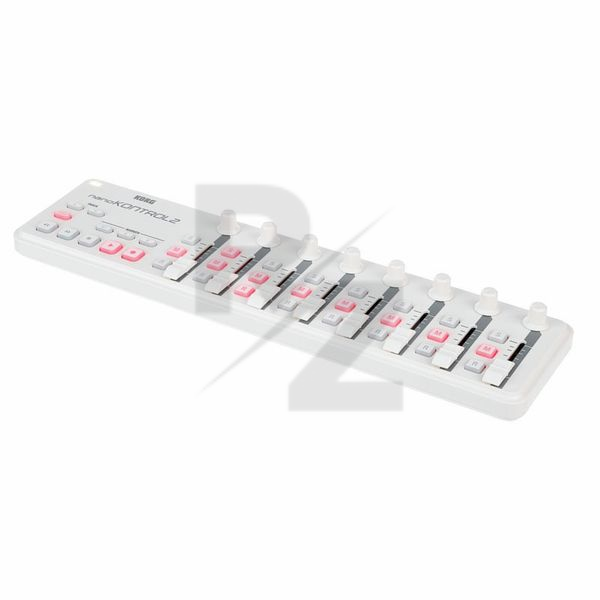
Korg nanoKONTROL 2 white
Very inexpensive controller from Korg.
If you don't know how to use your registry editor in Windows then you probably won't be able to get this to work. If you can however then after a few teething problems for a Studio One user this little thing turns out to be extremely useful in speeding up your workflow.
The usb cable it comes with is cheap and if you replace it you'll avoid any issues with the device freezing when you're in the middle of tracking or editing.
It takes a few minutes to download the editor and software and the free vst's that come with the nanokontrol2 are actually quite useful albeit limited in their usefulness.
If Korg spent a little more time developing drivers specific to the five or six main DAW manufacturers all of the pain in setting the device would be gone isntantly.
Also Korg DON'T allow users outside the USA to register their product... This is ridiculous and from a company with the reputation of Korg a major disappointment.
For €35 you really can't go wrong if you're looking to get away from the keyboard and mouse for a more hands on feel to your mixing and tracking. That being said, don't go expecting a €200+ piece of hardware... It isn't! What it is is small, portable, functional and inexpensive; and if that's what you're looking for then snap it up before they discontinue them altogether.
Technical Data
- Manufactured by Korg
- Released in 2011
- Average price : $65
- Weight : 293g
You may also like

2023 100%


2022 100%

2022 100%

2022 100%

2022 96%

2022 90%

2022 80%

2022