Best Kramer VP-440X Switcher/Scaler Alternatives
We found 5 alternatives to Kramer VP-440X Switcher/Scaler based on experts and consumers reviews.
Swissonic HDMI Split 4K 1in4

Based on 2 reviews
If you're using an Atem switcher with HDMI outputs and you decide to split the output through this HDMI splitter, it might not work. This is not a flaw of this specific HDMI splitter, it's actually a flaw with the Atem switcher. This HDMI splitter, like 99% of the splitters on the market uses Macrosilicon MS9332 chip (I opened it up and checked). Atem for some reason doesn't like this very common chip. (Get a Manhattan compact 4K splitter if you want it to work with Atem!) Otherwise, this splitter works really well, it's reliable and I haven't had any problems with it combining monitors with projectors (other than the aforementioned Atem issue), even connecting a splitter to a splitter!
Blackmagic Design Mini Converter SDI Distr.
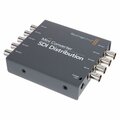
Based on 2 reviews
Arrived quickly and works exactly as expected. Have used a lot of BlackMagic Design products in the past and have never been let down.
Blackmagic Design Smart Videohub 20x20
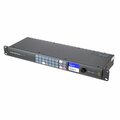
Based on 2 reviews
Very easy to use for small to medium sized events. We use it for several studio monitors and we didn't had any problems so far.
Blackmagic Design Smart Videohub 12x12
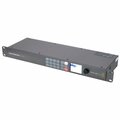
Based on 1 reviews
Excellent device. Does exactly what we need it to. Very user friendly and easy to set up. Does what it says on the tin. Happy out!
Swissonic HDMI 2.0 Audio Extractor

Based on 3 reviews
Never had any problems with it, I use it to separate the audio from an HDMI signal, so I can send it to an audio mixer. It just works with all the standard resolutions from a laptop. Maybe you want to know if the audio stays in the HDMI signal after extraction, and yes it does! It just passes the signal through. Really useful to have in conferences when someone wants to play a video from their laptop, and they don't have a 3,5mm jack. Just choose HDMI as a sound output device and you'll get the picture and the sound on the same HDMI cable.