Logitech Mevo Start Reviews
Convenient, affordable and portable live-streaming system
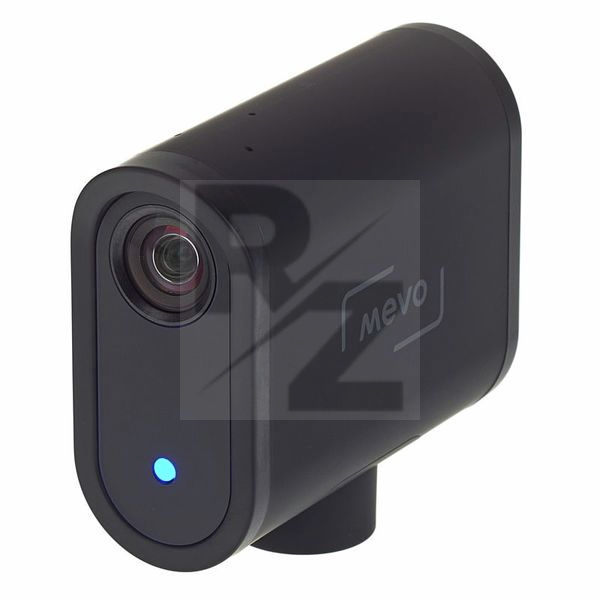
The Mevo Start is a dedicated camera for live-streaming, but which can also be used for recording. It is small, packed with useful features and easy to use and produces good quality images.
I bought the Mevo Start to live-stream services from my church. In that building, there is no wifi and we do not have the cabling required for a wired in system, so I wanted a way of live-streaming which could connect to Facebook by 4G, could stand alone without the need to install cables, was battery operated, easy to use and could basically look after itself while I got on with leading the service. The Mevo Start offers all of that.
The Mevo Start is small and unobtrusive even when placed in front of the congregation. It comes ready to connect to a variety of standard microphone stands or camera tripods. It has to stand reasonably close to the subject but 2-3m away seems to work well, giving the options of wider and closer shots. I like the way different shots can be set up in advance and then the Mevo Start can cycle through them, giving a bit of visual variety for the viewer, without the need to be operated manually. Manual zooms and pans are easy to do though. The app which goes along with the Mevo Start, downloadable from all the usual app stores, seems stable and it is certainly intuitive. It offers a huge amount of control over the settings and operation of the camera. I have not tested the internal microphones yet, having rather used the 3.5mm input socket to connect a radio mic, but this produces a good rich natural sound, with even some of the natural resonance of the building coming through.
The app offers a variety of streaming qualities so that you can match the upload speed available on your mobile network. It is very convenient that the same smartphone can control the Mevo Start and connect to social media. Connecting to my Facebook account was very simple. I have not tried to connect to YouTube or other social media. It is good to know that the Mevo Start simultaneously creates a backup recording (micro SD cards have to be bought separately) in case the live-stream goes down.
One thing I do not like is the fact that the Mevo Start offers the possibility of adding overlays or inserting images into livestreams direct from the camera/app, but only if you subscribe to Vimeo. It is a shame that this facility cannot be used unless you are prepared to pay about £175 a year to do so. Ideally, a cloth bag or case for the camera would be nice. There is no lens cap so care needs to be taken to protect the lens.
The Mevo website provides comprehensive instructions which are really helpful in getting the best out of the Mevo Start.
If you are looking for a simple live-streaming solution, I would recommend the Mevo Start. If you want to grow your capabilities in the future, it will still find a place in a more complex system, as it can connect with a video mixer through an HDMI cable.
You may also like

2023 90%


2023


2022 100%

2022 20%