ESI M4U eX Reviews
does its job well
It's nothing spectacular but it doesn't have to be. Handles all my midi needs effortlessly
Great MIDI Hub with Hybrid USB/MIDI standard connection
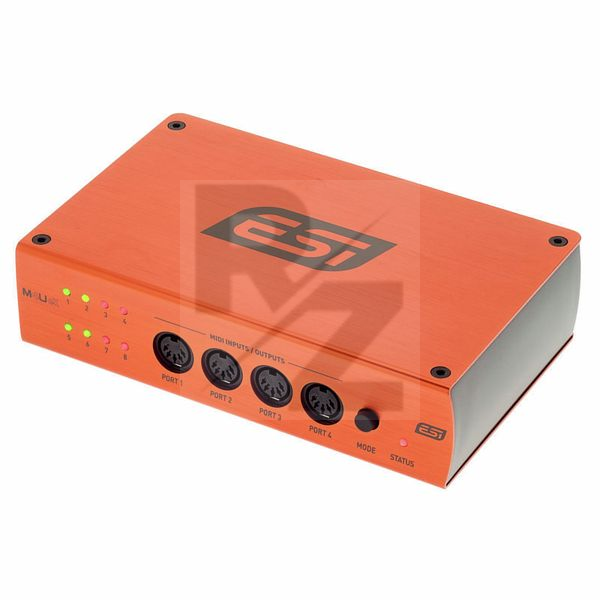
This is an amazing Midi Box with 3 USB slots and 8 Multi directional standard Midi ports.
I have this connected to my Push 3 USB 2.0 port as a HUB for my synths, and it connects them perfectly with Push 3 recognising all connections.
Very handy MIDI utility.
Great solution for hybrid setups
Not cheap, but an easy solution for hybrid setups. Easy to use
Might be the best MIDI interface
Great interface with extreme low latency from USB and it's various modes.
1 star is lost because ESI didn't include software so you can set your own custom modes. Or even better, allow filtering of MIDI messages.
But besides that, this is an incredible interface that works extremely well!
Some good ideas, but some annoying flaws
This is an interesting device which provides more functionality than most midi interfaces. But there are a few flaws which stop it from achieving what it is trying to be.
PRO:
- Very well built.
- Great price, although I would have preferred it to be a little bit more expensive if it meant it could have included what I note below.
- The function that each port can be an input or an output makes it really flexible in most setups. This should be implemented in all midi interfaces.
CON:
- The USB ports at the back can only be used when the device is plugged into a computer - and then only as a standard USB hub. There is no option to route MIDI between the DIN ports and the USB ports internally. This is a missed opportunity.
- The three options in standalone mode are fine if they cover what you need, but it would be better if there was an internal MIDI routing and filtering system. Then the user could decide themselves how the device is used. Again, missed opportunity.
- The lack of a power button is annoying. You need to unplug the device for the LEDs to switch off.
So overall, some good ideas, but it feels this device could have been a lot more. After trying to fit it in my setup for a few weeks, I have decided to sell mine and buy an iConnectivity mioXM instead.
very handy for my studio.
and I use it for my external HDD
cool
Great MIDI interface
It has all the features you could want, however it's standalone functionality is a lot more limited I discovered. When plugged into a computer it does everything you want. Standalone you only have limited options.
When using as a MIDI thru box when standalone, you cannot select which port is the input, it has to be Input 1 which is a bit annoying as I want to keep this in a rack and have a rear port be the input so I can freely plug and unplug things into the front facing ports.
Nice overall, too bad the standalone doesn't have more features.
The build quality seems excelent, also it looks good.
It has a lot of ports so I am quite happy there.
I will be using the standalone feature most of the time.
It has 3 modes that you can cycle through with the button.
1/7 mode makes sense (1 IN to 7 OUTs).
7/1 mode is also fine (7 INs to 1 OUT).
But what the hell is "pass-through"?
4 INs to 4 OUTs? Well, not quite :-(
The manual says it will route 1 to 3, 2 to 4, 5 to 7 and 6 to 8.
How is this different to just plugging the cable directly where you want it.
Or is this like a MIDI patchbay feature? Except that ports 1-4 are on the front of the unit so you'll have 2 IN and 2 OUT on each side.
I thought that this would be like a hybrid between 1/7 and 7/1. Not exacly sure if that would be somehow hard to implement or whatever, but having a patchbay feature seems useless to me.
I mainly wanted a MIDI merge device so this will be fine I guess.
UPDATE: I ended up returning the unit and bought a Blokas MIDIHub instead and it's all I ever wanted and more ❤ (google it - it's awesome).
Automatic midi interface
Does exactly what it says in the description.
Just connect everything via usb and midi cables. No configuration needed.
Only reason I took away one of the stars is that I have to restart it once the keyboards that are connected have been turned off and back on. This is a bit awkward because it means I have to unplug the USB cable from the computer which gives it power.
Perfect for my connecting MIDI devices: Yamaha G50 guitar2midi, Behringer FCB1010 with Uno2, Novation A-station, E-mu Proteus 2000, H&K BS200 and computer. Working pefectly out-of-box with Linux(Kubuntu Studio 20.04LTS) and JACK or in stand-alone mode for live action.
A Fantastic Piece of Equipment
I use the ESi M4UeX in my home studio, and I never regretted buying it! Absolutely easy to set up and perfect in every way.
Flexible and talented
Works great as a MIDI interface, very flexible due to each port being configurable as either an input or output when connected to the PC.
Before buying, I e-mailed them to check if the ports are powered when set to MIDI OUT, and they replied quickly (confirming that they are indeed powered).
When not connected (or when the PC is shut off), it works as a standalone MIDI mixer with 3 different modes, one of which suits my needs perfectly (merging all 7 inputs into 1 output).
The USB 3.0 hub functionality is a nice bonus that I'm also using without any problems.
I'm glad to see companies still building dedicated MIDI hardware and even adding some innovations (the configurable ports in this case).
does just that
really straightforward no issues - and my system is complex
A lot of functions
High quality build. Looking very nice.
The USB hub is must have for me.
Highly recommended
You may also like

2023 100%


2022 100%

2022 90%

2022 80%

2022 80%


2022

2022
