ESI M4U eX 4-stars Reviews
does its job well
It's nothing spectacular but it doesn't have to be. Handles all my midi needs effortlessly
Great MIDI interface
It has all the features you could want, however it's standalone functionality is a lot more limited I discovered. When plugged into a computer it does everything you want. Standalone you only have limited options.
When using as a MIDI thru box when standalone, you cannot select which port is the input, it has to be Input 1 which is a bit annoying as I want to keep this in a rack and have a rear port be the input so I can freely plug and unplug things into the front facing ports.
Nice overall, too bad the standalone doesn't have more features.
The build quality seems excelent, also it looks good.
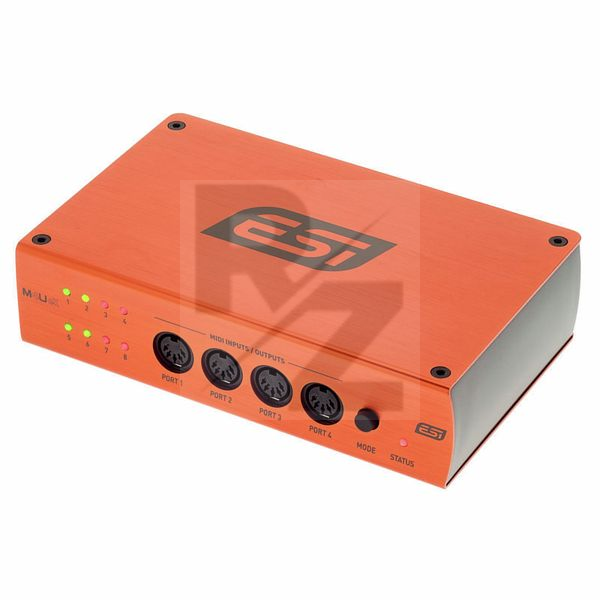
It has a lot of ports so I am quite happy there.
I will be using the standalone feature most of the time.
It has 3 modes that you can cycle through with the button.
1/7 mode makes sense (1 IN to 7 OUTs).
7/1 mode is also fine (7 INs to 1 OUT).
But what the hell is "pass-through"?
4 INs to 4 OUTs? Well, not quite :-(
The manual says it will route 1 to 3, 2 to 4, 5 to 7 and 6 to 8.
How is this different to just plugging the cable directly where you want it.
Or is this like a MIDI patchbay feature? Except that ports 1-4 are on the front of the unit so you'll have 2 IN and 2 OUT on each side.
I thought that this would be like a hybrid between 1/7 and 7/1. Not exacly sure if that would be somehow hard to implement or whatever, but having a patchbay feature seems useless to me.
I mainly wanted a MIDI merge device so this will be fine I guess.
UPDATE: I ended up returning the unit and bought a Blokas MIDIHub instead and it's all I ever wanted and more ❤ (google it - it's awesome).
Automatic midi interface
Does exactly what it says in the description.
Just connect everything via usb and midi cables. No configuration needed.
Only reason I took away one of the stars is that I have to restart it once the keyboards that are connected have been turned off and back on. This is a bit awkward because it means I have to unplug the USB cable from the computer which gives it power.
You may also like

2023 100%


2022 100%

2022 90%

2022 80%

2022 80%


2022

2022
