Softube Console 1 Fader 5-stars Reviews
Best controller by a mile
Been using the Console 1 mk2 since 2017 and finally decided to take the leap and also go for the fader as the perfect add-on and oh what an add on it is. The new update syncs it seamlessly with Logic's basic systems any person at a desk would want. Channel selection, Play, Skip, Fader control (obviously), pan, solo, mute and stereo spread all without opening the console 1 plugin. Completely elevated my day to day workflow without me even realising that is has. Worth it!
Just an Awesome Product!!!
Easy to set up and use. Fantastic Device.!
Compact, very handy, not versatile
This controller works best paired with the original Console 1: focus on one track in Console 1 and balance the overall mix on faders.
Pros:
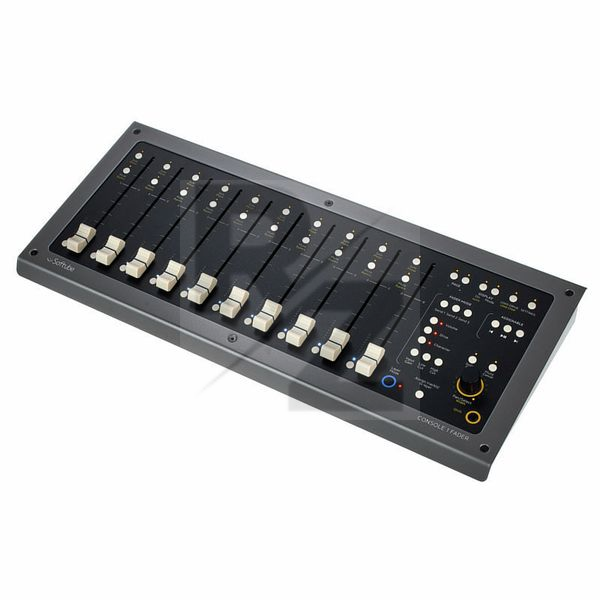
— a tiny footprint compared to other motorized fader controllers. This is MUCH smaller than the motorized Behringer
— motorized faders work well and are easy to use
— layers of control are very usable and intuitive. With a properly set-up project, you will literally have your hands on this thing at all times during mixing.
— you can control which tracks appear on your controller. If you have a group of 12 tracks that stand for one instrument, you can have it represented as one track.
Main pro: the Console 1 series encourages you to mix by ear, not based on your on-screen readings. This contributes a lot to how you progress as a producer.
Cons:
— Ableton integration is buggy. I couldn't get it transport control to work, track naming is manual.
— Initial setup on project is tedious: you have to insert the Console 1 plug-in onto every track you need mixed, and there is no easy way to do that.
— LED Level meters not bright
You may also like

2023 100%

2023 100%

2023 100%

2023 100%

2023 100%


2023

2023
