Behringer X-Touch 3-stars Reviews
Okay, but not without its flaws
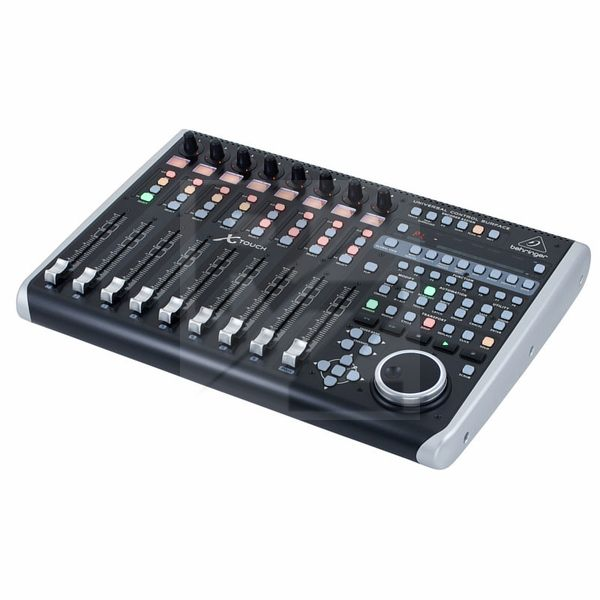
Overall, this is a nice piece of kit to help you free your hand from the mouse. I've had this for a few years now and it's still going strong. It's well built (mostly) and for the price, you do get a lot for your money. That said, there are a few niggling issues I'd like to point out.
Now, I use this for interfacing with my DAW and if you (like me) were/are swayed by the fact that the LCD scribble strips can change colour, then I'm afraid you'll be disappointed as this feature is only available if you're using it with the Behringer's X32 products. Whilst this isn't entirely the Behringer's fault (as it is technically impossible to get them to change colour through the Mackie protocol without some technical knowledge), their product pages and publications all show multi-coloured screens with no mention of the feature only working with other X32 products. It's not the biggest issue in the world, but when you're working with loads of tracks, it would have been nice to have some way to change the colour of the screens.
On the subject of lights, it seems to me that there is no real way to clear the LED clip lights if you peak as they do not seem to respond if you clear them in your DAW. This means it can be quite confusing if you use them in conjunction with your onscreen mixer. It would have been nice if this could be fixed in future firmware updates but considering I've not seen a firmware update in the five years I've owned this, it says to me that Behringer has probably forgotten this product exists. Also, I find that certain lights randomly stay on when you close your DAW down which is rather annoying.
Secondly, whilst the jog wheel is a nice addition, it does feel quite cheap when compared with the rest of the (mostly) metal construction. I love the illuminated ring around the wheel, but I notice friction at some points where the wheel makes contact with the outer ring which makes accuracy a bit of an issue if you're using it for fine scrubbing purposes.
The biggest flaw I have found though, is through the reliability of its connectivity to the computer. The X-Touch has three ways to interface with the computer; through USB, MIDI or through the network. I'm using this with a 2016 Apple iMac installed with the latest version of Logic and connecting it through the USB is by far the most unstable option, with it regularly dropping connection and me having to cycle the power to get it to connect again. The network option is a little better but there is a lot of setting up and additional hardware (a router) involved and it still dropped connection occasionally. In my opinion, the best way is to connect it with old fashioned MIDI cables. In my case, I have them connected through my NI Komplete Audio 6 interface and so far (touch wood) it's not dropped out.
So yeah, it's an okay bit of kit for the money, but I can't help but feel it could have done with some more refinement on the software side to make sure it was truly was user friendly. The build quality is mostly excellent with a lot of it being solid metal and it does get the job done if you like the tactile workflow, but perhaps with a few more tweaks under the hood, it could be even better.
Life is easier with a mouse
Too many glitches working with Logic for me. Not really that intuitive to just pick up and use it either. In any case some of the plug ins I use have multiple controls that spread over many banks so it's much easier and quicker for me just to use the mouse!
Almost great
On a physical level this is great. The quality is very high, the motorized faders work perfectly etc. But, and I'm cutting to the chase, there's a major issue with the compatibility (at least with Cubase) and that is that the channels buttons don't work as expected. Instead of scrolling the channel assignment over the faders by one track, they instead change page settings (?). I assume this is fixable with a firmware update and I'm pretty sure Behringer knows about this, but unfortunately an update does not seem to be on the way... Until this is fixed, navigating sessions only using the banks (move fader groups by 8 tracks at a time) is not the best. Sometimes you're bound to end up with the faders you want to control being on different banks and having to constantly jump between them... Until this is fixed I can't ginve this otherwise good product five stars.
Technical Data
- Manufactured by Behringer
- Released in 2015
- Average price : $576
You may also like

2023 100%


2022 100%

2022 100%

2022 100%

2022 96%

2022 90%

2022 80%

2022