Icon Platform M+ 3-stars Reviews
Swings & Roundabouts
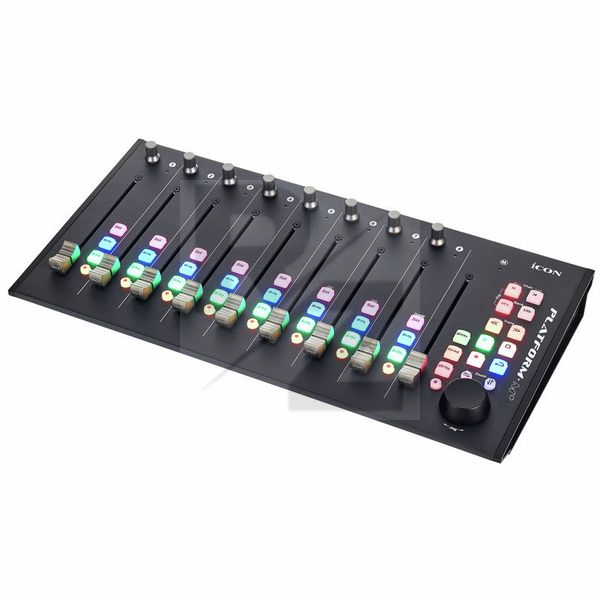
The build quality looks impressive, unfortunately it wasn't long before the rubberised buttons started coming out of their slots. Whilst they can be pushed back in they now sit up further that the rest. The software interface needs a drastic update and they seem to change the way the firmware updates work. It took an email to the support desk to figure that out. To be fair the support was quick and got me sorted. The biggest issue is the need to restart the device to change modes. As someone who uses both logic pro and cubase this is a pain.
Good performance, very limited functionality
I was recommended the Platform M+ as a main DAW controller and initially I was impressed by the performance and fader response, but functionality is very limited.
Buttons are somewhat fiddly and setting up a user defined template is a lengthy task. Mapping application seemed to work better on Windows than Mac. Manual is incomplete but instructional videos can easily be found.
I think this product is a great for it's price, but be prepared to get ZERO support.
The manual has only minimum information. For example if you want to calibrate the device - you have to google it and if you're happy - you will find Youtube video how to do it. Why this is not in the manual? There is also zero information how to use 'user define' mode.
If you want to get support from iCon - well good luck with that! There is NO direct contact information, only thru ZenDesk registration which doesn't work.
SO if you want to get a good device with awful support and look for the solutions in facebook and forums - this controller might be for you :)
Protools Use
Overall really nice feel to faders and buttons. Terrible manual (cant even find how to register online) Also Practically zero instructions for several functions in Protools so I had to discover things in Forums for myself. The really killer bad point is that there is no dedicated 'flip button' to switch to controlling sends so you have to press two buttons simultaneously to achieve this. Pressing two buttons works about 60% of the time so the rest of time you have either switched bank or channel. This is a terrible problem as your input is now assigned somewhere else and your faders no longer work. Protools users can also only edit the first send with no way to change to another, This and the lack of a 'flip button' is a real poor experience for protools users, and I cannot see how they can work around it as there is no spare button to assign.
You may also like

2023 100%


2022 100%

2022 100%

2022 100%

2022 96%

2022 90%

2022 80%

2022